



 Github Stars:
 Last Commit:
  Created: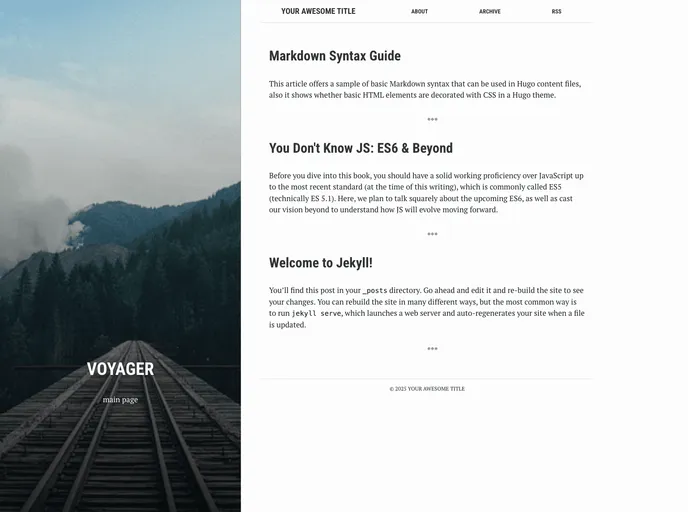
Overview
Voyager is a Jekyll theme designed to simplify the process of creating a website. It offers several features to enhance the customization of HTML files, posts, and pages.
Features
- Compressed HTML Files: All HTML files in Voyager are compressed, resulting in faster loading times.
- Customizable Post Settings: Users have the flexibility to change various settings for each post, such as the background image.
- Page Tagging: Pages with an active tag are displayed in the site menu.
- Tag-based Archive Page: The archive page in Voyager organizes posts based on tags, allowing for easy navigation.
- Relative Paths for Images: If your blog is not in the root directory, you can include images using relative paths.
Installation
To install Voyager:
- Update the
_config.ymlfile with the necessary configurations. - In the root directory of your project, run the following command to build for production:
JEKYLL_ENV=production jekyll build.
Summary
Voyager is a Jekyll theme that offers convenient features for creating and customizing websites. It provides compressed HTML files, customizable post settings, page tagging, a tag-based archive page, and the ability to include images using relative paths. Installing Voyager involves updating the _config.yml file and building the project for production.



































