



 Github Stars:
 Last Commit:
  Created: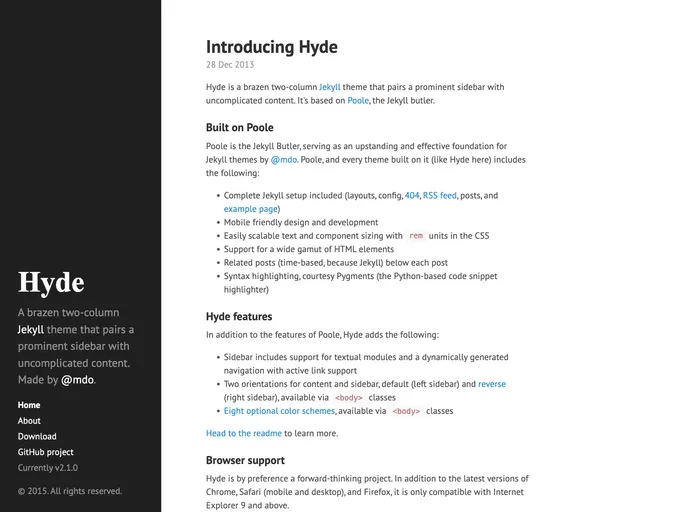
Overview
Hyde is a two-column Jekyll theme that features a prominent sidebar and simple content. It is built on top of Poole, a Jekyll butler. With Hyde, users can easily set up and customize their website using the provided Jekyll framework.
Features
- Sidebar menu: Users can create a list of navigation links in the sidebar by assigning the correct layout to each Jekyll page in the front-matter.
- Sticky sidebar content: By default, Hyde includes a sidebar that affixes its content to the bottom. This can be disabled by removing the
.sidebar-stickyclass from the sidebar’s.container. - Themes: Hyde offers eight optional themes based on the base16 color scheme. Users can apply a theme to change the color scheme, particularly for the sidebar and links.
- Reverse layout: Hyde’s page orientation can be easily reversed with a single class.
- Development: Hyde has two branches -
masterfor active development andgh-pagesfor the hosted site which includes analytics tracking code.
Installation
To use Hyde, follow these steps:
- Download Poole, the Jekyll butler.
- Start the Jekyll server according to the Poole usage guidelines.
- Customize the theme by adding any desired classes to the
<body>element in thedefault.htmllayout. - Create a list of navigation links in the sidebar by assigning the correct layout to each Jekyll page in the front-matter.
- Optionally disable the sticky sidebar content by removing the
.sidebar-stickyclass from the sidebar’s.container.
Summary
Hyde is a minimalist Jekyll theme built on top of Poole. It offers a prominent sidebar and uncomplicated content layout. Users can customize the theme through the use of classes on the <body> element and can choose from eight optional themes based on the base16 color scheme. Hyde is easy to install and offers a straightforward solution for creating a stylish website with Jekyll.



































