



 Github Stars:
 Last Commit:
  Created:
Overview:
GemGem is a theme built for Jekyll, a static site generator. It can be deployed on GitHub and Vercel and offers a set of key features that make it easy to use and customize.
Features:
- Deploy with Vercel: GemGem can be easily deployed with Vercel, providing a reliable and efficient hosting solution.
- Styless Compatible: GemGem is compatible with Styless, a popular CSS framework, allowing users to easily customize the theme.
- GitHub Pages Support: GemGem supports GitHub Pages, making it an ideal choice for hosting Jekyll sites on GitHub.
Installation:
To install GemGem, follow these steps:
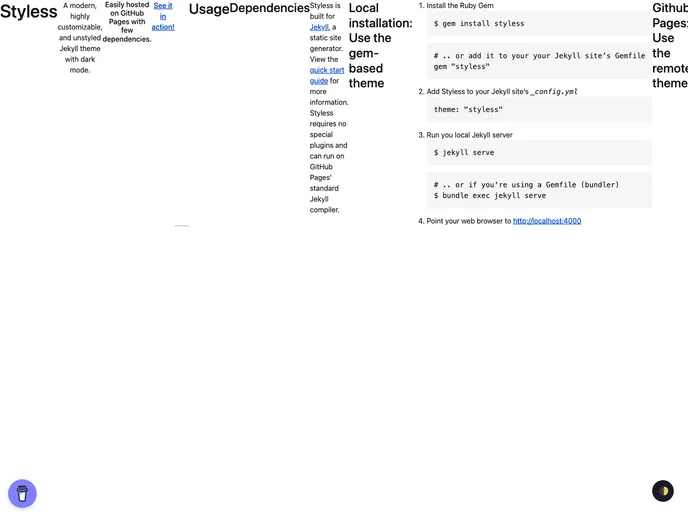
Local installation:
- Install the Ruby Gem for GemGem.
- Add GemGem to your Jekyll site’s
_config.ymlfile. - Run your local Jekyll server.
- Open your web browser and visit http://localhost:4000 to view your site.
GitHub Pages installation:
- Set up GitHub Pages and Jekyll locally.
- Add GemGem to your Jekyll site’s
_config.ymlfile as a remote theme. - Make sure you have GitHub Pages enabled on your repo, at least one Markdown file, and a
_config.ymlfile.
Customization:
- GemGem allows you to use any CSS framework by adding your libraries to the
_includes/custom-head.htmlfile in your site.
- GemGem allows you to use any CSS framework by adding your libraries to the
Summary:
GemGem is a versatile Jekyll theme that offers seamless deployment with Vercel and GitHub Pages. With Styless compatibility and easy installation steps, this theme provides a convenient solution for building and hosting static websites. Its open-source nature under the Unlicense License encourages collaboration and contributions from the community.



































