



 Github Stars:
 Last Commit:
  Created:
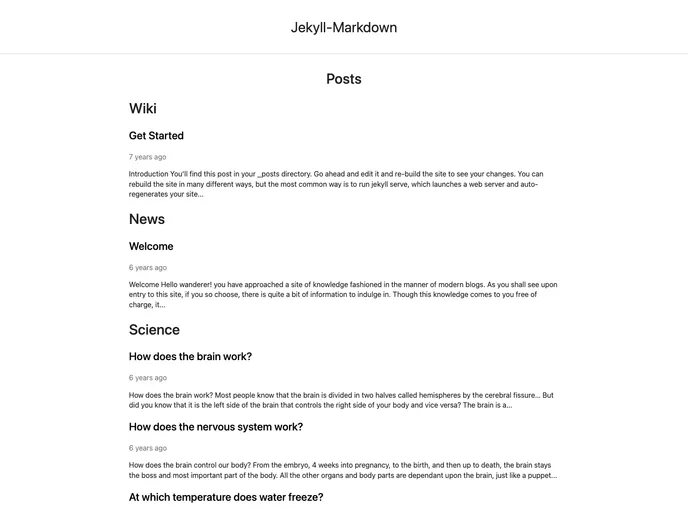
Overview
Jekyll-Markdown is a pure black and white responsive markdown blog generator that uses Jekyll. It supports categories sorting, code highlighting, and LaTeX formulas.
Features
- Pure Black and White Design: The theme has a clean and minimalist design with a black and white color scheme.
- Responsive Layout: The theme is fully responsive and adapts to different screen sizes, making it accessible on various devices.
- Categories Sorting: The theme supports sorting posts by categories, allowing users to easily navigate and find specific content.
- Code Highlighting: Jekyll-Markdown provides code highlighting, making code snippets more readable and visually appealing.
- LaTeX Formula Support: The theme supports rendering LaTeX formulas, enabling users to include mathematical equations in their blog posts.
Installation
To install the Jekyll-Markdown theme, follow these steps:
- Install Jekyll by following the installation guide.
- Move to the Jekyll Markdown directory.
- Run the web server.
- Open your web browser and check that the web server is running at
localhost:4000. - Configure the website in the
_config.ymlfile. - Add your posts in the
_postsfolder based on the provided help post content.
Summary
Jekyll-Markdown is a responsive markdown blog generator built with Jekyll. It offers a minimalist black and white design, supports categories sorting, code highlighting, and LaTeX formulas. With easy installation and customization options, it provides a user-friendly platform for creating and managing a markdown-based blog.



































