



 Github Stars:
 Last Commit:
  Created:
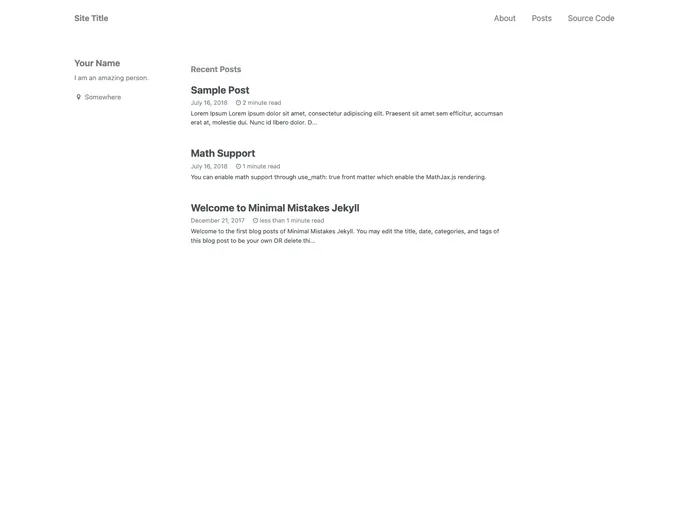
Overview:
The Minimal Mistakes Jekyll template is a ready-to-use Jekyll theme that allows users to create a blog without needing to know git and the command line. It can be easily forked on GitHub and used for GitHub Pages. The template provides a clean and minimalistic design, making it a popular choice for bloggers.
Features:
- Ready-to-use Jekyll template with the Minimal Mistakes theme
- Instantly create a blog without needing knowledge of git and the command line
- Easy installation process for GitHub Pages
- Option for local development using git and Jekyll
- Personalization options to customize the site’s appearance and configuration
- Ability to add blog posts, pages, drafts, images, and math equations
- Further customization options available
- MIT license for flexibility in usage and modification
Installation:
To install the Minimal Mistakes Jekyll template, follow these steps:
- Fork the repository (minimal-mistakes-jekyll) to your own GitHub account.
- Publish the site with GitHub Pages by renaming the forked repository to “username.github.io”. Your site should then be available at https://username.github.io.
- If desired, rename the forked repository to a custom name (e.g., “my-awesome-blog”).
- Go to the repository settings and publish your master branch with GitHub Pages.
- Your site should now be available at https://username.github.io/repositoryname.
- Continue to the “Personalization” section to customize your site and the “Usage” section to add content.
For local development (optional):
- Make sure you have Git, Jekyll, and Bundle installed.
- Fork the repository and clone it to your local machine.
- Run the necessary command in your terminal to generate the site.
- Your local site should be available at http://localhost:4000.
- Develop your site, commit new changes, and push to the GitHub master branch. Any new changes will be reflected on the GitHub Pages in a few seconds.
Summary:
Overall, the Minimal Mistakes Jekyll template is a user-friendly and customizable option for creating a blog using Jekyll on GitHub Pages. It provides an easy installation process for both GitHub Pages and local development. With its minimalistic design and various customization options, users can create a personalized blog without the need for extensive technical knowledge. The template is licensed under MIT, allowing for flexibility in usage and modification.



































