



 Github Stars:
 Last Commit:
  Created:
Overview
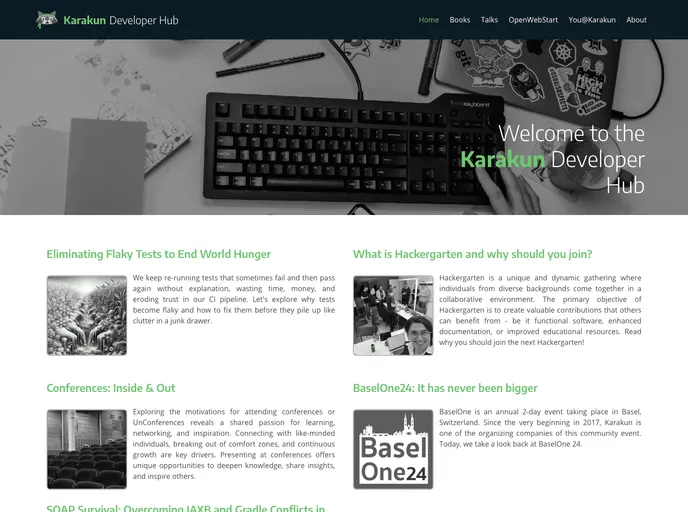
The developer community page of Karakun AG provides instructions for building the page locally and running it on a server. The instructions recommend using docker-compose for easy setup. Additionally, the page mentions the use of Jekyll, a static site generator, for local inspection and preview of markdown files. It also explains how to work with drafts and future posts.
Features
- Docker Compose: Easily build and run the page locally using the provided docker-compose.yml file.
- Jekyll: Use Jekyll to start a server for local inspection and preview of markdown files.
- Drafts: Create and work on drafts, which are posts without a date in the filename, and preview them locally using the draft.sh script.
- Future Posts: Create posts that are scheduled to be published in the future, and build the website with these future posts using the –future flag.
Installation
To build the page locally using docker-compose:
- Make sure you have Docker Compose installed on your machine.
- From the root directory of the repository, run the following command:
docker-compose up
This will start a server that runs the page and forwards it to localhost:4000.
To start Jekyll on your machine for local inspection:
- Install Jekyll on your machine (refer to online instructions for details).
- If you have macOS and brew installed, execute the following commands:
brew install ruby
To start a server for local inspection of your markdown files using Jekyll:
- Use the start.sh script provided.
./start.sh
To work with drafts:
- Create a _drafts folder in your site’s root directory.
- Create your first draft file in the _drafts folder.
- To preview your site with drafts, run either of the following commands:
jekyll serve --drafts
or
jekyll build --drafts
To work with future posts:
- Create posts with a date greater than the current date in the _posts directory.
- To build the website with future posts, use either of the following commands:
jekyll serve --future
or
jekyll build --future
Summary
The developer community page of Karakun AG provides instructions for building the page locally and running it on a server. It recommends using Docker Compose for easy setup and Jekyll for local inspection and preview of markdown files. Additionally, it explains how to work with drafts and future posts, allowing developers to create posts that are still being worked on and schedule posts for future publication.



































