



 Github Stars:
 Last Commit:
  Created:

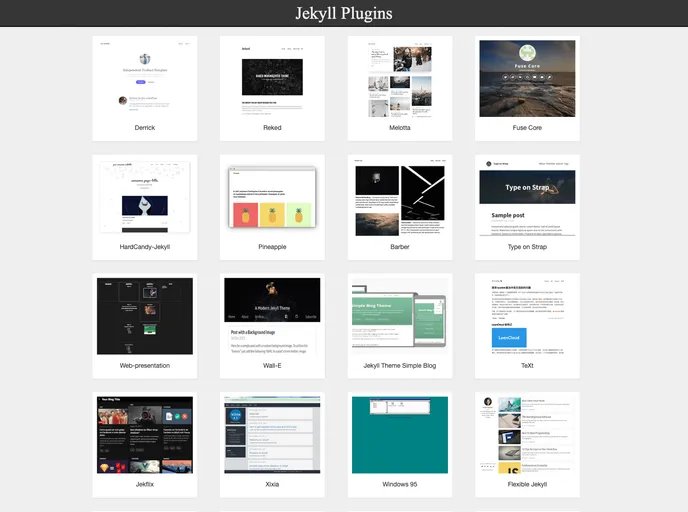
Product Analysis: Jekyll Plugins
Overview
Jekyll Plugins is a directory for Jekyll plugins, providing users with a collection of super-useful plugins for Jekyll blogs. Users can also submit their own Jekyll themes to Jekyllthemes.org for others to use.
Features
- Directory of Jekyll plugins: Users can browse through a wide range of Jekyll plugins to enhance their blogs.
- Submitting a Plugin: Users can contribute to the directory by submitting their own Jekyll themes. They can do this by forking the site on GitHub, creating a new post in the _posts directory, and filling out the relevant YAML fields. They are also required to create a 250x200 thumbnail and include it in the post’s markdown file.
- ToDo jobs: The platform lists a set of tasks that need to be completed. These tasks include implementing Google Analytics, enhancing the user interface for plugin list display and plugin detail information, adding a search plugin feature, categorizing plugins by categories, improving the platform’s adaptability for smart phones, and adding test and travis-ci as well as disqus comment and share features.
Installation
To install the Jekyll Plugins theme, follow these steps:
- Fork the site on GitHub.
- Create a new post in the _posts directory.
- Fill out the relevant YAML fields in the post.
- Create a 250x200 thumbnail image and place it in the thumbnails directory.
- List the filename of the thumbnail in the post’s markdown file.
- Test the changes locally.
- Push the changes to your GitHub repository.
- Open a pull request to contribute your theme or plugin.
Summary
Jekyll Plugins provides a directory of plugins to enhance Jekyll blogs. Users can also contribute their own plugins by following the provided guidelines. The platform has a variety of features, including a task list for further improvements. Overall, Jekyll Plugins is a valuable resource for Jekyll users looking to enhance their blogs with additional functionality.



































