



 Github Stars:
 Last Commit:
  Created: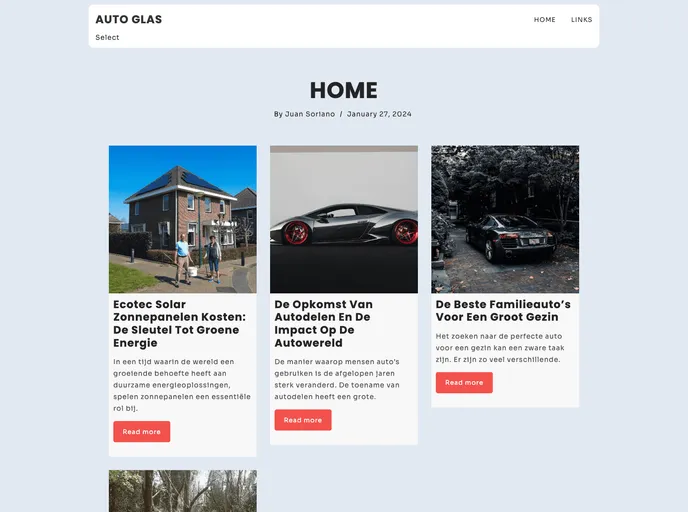
Overview:
Papyrus is a responsive three-column Jekyll theme that features classic styling and meticulous typographic details. This theme draws inspiration from the Onelight Atom Theme to create a visually appealing and user-friendly design.
Features:
- Responsive Design: Papyrus is designed to be fully responsive, providing an optimal viewing experience on different devices and screen sizes.
- Three-Column Layout: The theme utilizes a three-column layout, allowing for efficient organization of content and easy navigation.
- Classic Styling: Papyrus showcases a classic design aesthetic, incorporating elegant typography and clean lines.
- Careful Typographic Details: The theme pays attention to typographic details, ensuring the text is both visually appealing and easy to read.
- Based on Onelight Atom Theme: Papyrus draws inspiration from the popular Onelight Atom Theme, leveraging its modern and minimalistic design principles.
Installation:
To install and test the Papyrus Jekyll theme, follow these steps:
- Download or clone the repository using the following command:
git clone git@github.com:hugoferreira/papyrus-theme.git - Enter the folder using the command:
cd papyrus-theme/ - Start the Jekyll server by running the command:
jekyll serve --watch - Access the theme via the following URL:
http://127.0.0.1:4000/papyrus-theme/
Summary:
Papyrus is a Jekyll theme with a responsive three-column layout and classic styling. It provides a visually appealing and user-friendly design, inspired by the Onelight Atom Theme. By paying attention to typographic details and incorporating elegant typography, Papyrus offers an aesthetically pleasing and easy-to-read theme option for Jekyll users.



































