



 Github Stars:
 Last Commit:
  Created:
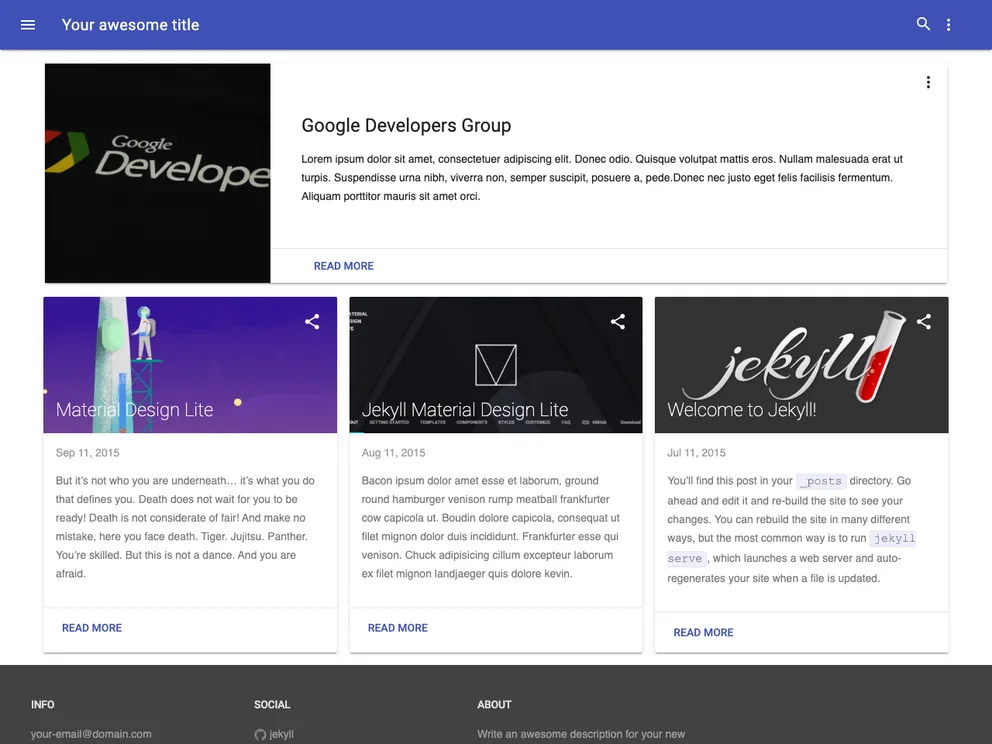
Overview:
The jekyll-mdl is a Jekyll theme that is based on the Google Material Design Lite library. It offers a clean and modern design that is inspired by the principles of Material Design. The theme comes with a demo site where users can see it in action. It also allows users to create custom themes using the mdl theme creator. The theme offers different layout options and provides flexibility for customization.
Features:
- Based on Google Material Design Lite library
- Clean and modern design inspired by Material Design principles
- Demo site available to preview the theme
- Customizable themes using the mdl theme creator
- Multiple layout options for different navigation and post display styles
- Easy installation and setup process
- Active community and contributors
Installation:
To install the jekyll-mdl theme, follow these steps:
Clone the jekyll-mdl repository to your local machine:
git clone https://github.com/gdgmanagua/jekyll-mdl.gitNavigate to the cloned directory:
cd jekyll-mdlInstall the required dependencies:
bundle installRun the Jekyll server:
bundle exec jekyll serveOpen your web browser and go to
http://localhost:4000to see the theme in action.Customize the theme by modifying the configuration files and adding your own content.
Summary:
The jekyll-mdl theme is a Jekyll theme that is based on the Google Material Design Lite library. It offers a clean and modern design inspired by Material Design principles. The theme provides flexibility for customization through custom themes and different layout options. It is easy to install and setup, making it a great choice for anyone looking for a Material Design inspired Jekyll theme.



































