



 Github Stars:
 Last Commit:
  Created: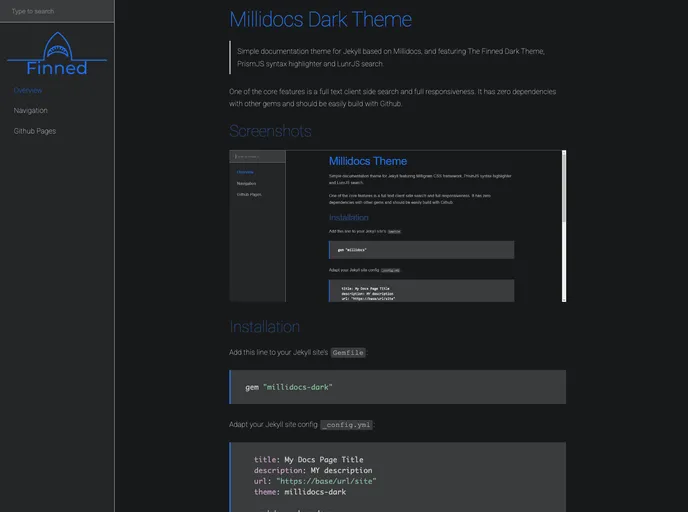
Overview:
Millidocs Dark Theme is a simple documentation theme for Jekyll that is based on Millidocs. It features The Finned Dark Theme, PrismJS syntax highlighter, and LunrJS search. One of its core features is a full-text client-side search, and it is fully responsive. The theme has zero dependencies with other gems and can be easily built with Github.
Features:
- Full Text Client Side Search: The theme includes a powerful full-text search functionality that runs on the client side, providing users with a seamless search experience.
- The Finned Dark Theme: The theme features The Finned Dark Theme, which provides a visually appealing and modern design for the documentation.
- PrismJS Syntax Highlighter: To enhance code readability, the theme integrates PrismJS syntax highlighter, allowing code snippets to be displayed with appropriate syntax highlighting.
Installation:
To install Millidocs Dark Theme, follow these steps:
Add the following line to your Jekyll site’s Gemfile:
gem 'millidocs-dark'Adapt your Jekyll site configuration file (_config.yml):
theme: millidocs-darkExecute the following command in your command-line interface (CLI):
bundle install
Alternatively, you can install the theme directly by running the following command:
gem install millidocs-dark
Summary:
Millidocs Dark Theme is a simple and elegant documentation theme for Jekyll that provides powerful features such as a full-text client-side search, The Finned Dark Theme for a visually appealing design, and PrismJS Syntax Highlighter for code readability. With its easy installation process and minimal dependencies, it is a convenient choice for developers looking to create documentation websites.



































