



 Github Stars:
 Last Commit:
  Created:
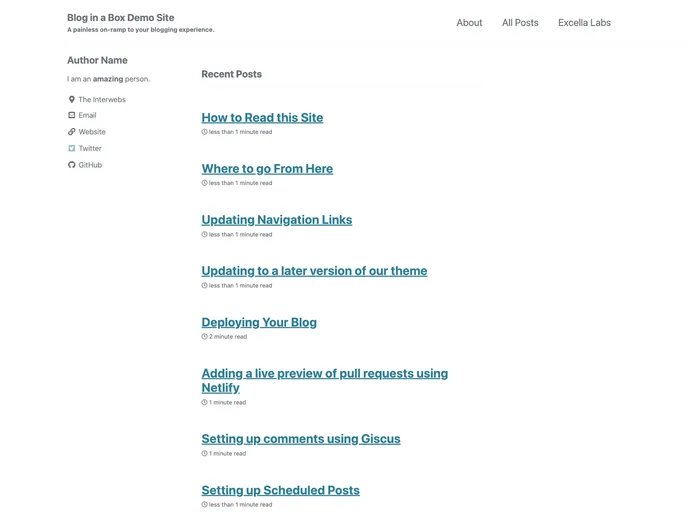
Overview
Blog in a Box is a quick and comprehensive solution for individuals looking to establish their own blog presence. It offers all the necessary tools and resources to get a blog up and running seamlessly. With Blog in a Box, users can easily create and share their ideas with the world.
Features
- All-in-one solution for setting up a blog quickly and efficiently.
- Provides guidance and support to users through FAQs and issue tracking.
- Includes individual blog posts on various topics for reference and practice.
- Offers options to protect and manage the blog during the development phase.
- Allows for scheduled posts and integrates comments using Giscus.
- Provides a live preview of pull requests using Netlify.
- Simplifies the deployment process with clear instructions.
- Offers updates to the theme and navigation links for improved functionality.
Installation
To install Blog in a Box, follow these steps:
- Clone the repository:
git clone [repository-url]
- Verify that you have all the prerequisites installed.
- Open the project for development by navigating to the project directory.
- Follow the instructions in the Getting Started guide to customize your blog.
- Run the necessary commands for the setup process.
- Ensure proper protection of your branch to ensure build steps run smoothly.
- Configure scheduled posts and enable comments using Giscus.
- Integrate a live preview of pull requests using Netlify.
- Deploy your blog following the provided instructions.
- Keep your blog up to date by updating the theme and navigation links.
Summary
Blog in a Box is an all-in-one solution for individuals who want to establish their own blog quickly and efficiently. It provides comprehensive features such as guidance and support, individual blog posts, scheduled posts, comments integration, and a live preview of pull requests. Installing and customizing the blog is made easy with clear instructions and necessary code snippets. With Blog in a Box, users can confidently share their thoughts and ideas with the world.



































