



 Github Stars:
 Last Commit:
  Created:
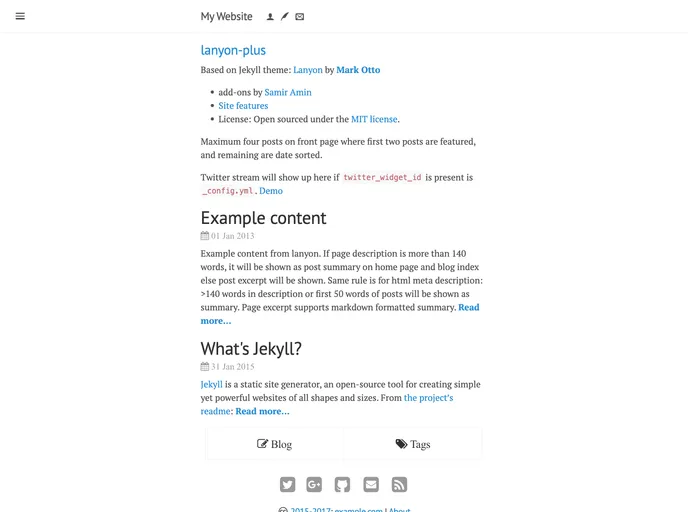
Overview
Lanyon Plus is a Jekyll theme based on the Lanyon theme created by Mark Otto, with additional add-ons by Samir Amin. The theme is open sourced under the MIT license and provides a range of features for creating a website. This includes options for customizing the sidebar, meta info below post titles, and footer bar. There are also features such as Google Analytics, Disqus comments, Twitter widgets, and Google custom search that can be enabled by adding the relevant usernames or keys in the configuration files. The theme also provides instructions for setting up a custom domain with GitHub pages.
Features
- Customizable sidebar, meta info, and footer bar
- Support for Google Analytics, Disqus comments, Twitter widgets, and Google custom search
- Ability to use a custom domain with GitHub pages
Installation
- Edit the
_config.ymlfile and replace any instances of “foo” with relevant information. - Add the author and owner information in the appropriate sections for the sidebar and footer.
- Uncomment and add relevant usernames/keys to enable features such as Google Analytics, Disqus comments, Twitter widgets, and Google custom search.
- If hosting the website on a domain other than github.io, rename the
CNAME.samplefile toCNAMEand add your custom domain name. If hosting on github.io, replace “example.com” with the appropriate URL in the_config.ymland_prose.ymlfiles. - If desired, edit the
robots.txtfile to include/exclude search engines. - Check the file paths in the
head.htmlandhead_minimal.htmlfiles to ensure they have valid CSS files, scripts, icons, and images. - Edit the necessary variables in the
_config.ymlfile for social media profiles, Google Analytics key, Disqus username, etc. - Customize the
meta_info.html,footer.html, and similar include files to add or remove elements in the page meta bar and footer. - In the
_layoutsdirectory, edit thedefault.html,page.html, andpost.htmlfiles to add, remove, or reorder page/post content. - For live blog posts, create markdown formatted posts with the file name format
yyyy-mm-dd-title.mdin the_postsdirectory. The YAML header in each post should contain at least thelayout,title, anddatefields.
Summary
Lanyon Plus is a customizable Jekyll theme that builds upon the Lanyon theme. It offers a range of features and options for creating a website, including sidebar customization, support for various plugins, and the ability to use a custom domain with GitHub pages. By following the installation instructions and customizing the necessary files, users can easily create their own unique website using Lanyon Plus.



































