



 Github Stars:
 Last Commit:
  Created: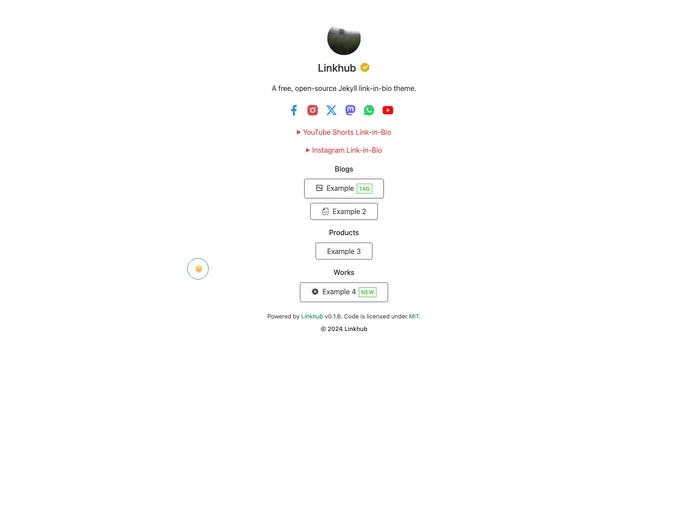
Overview
Linkhub is a Jekyll theme that allows users to create a link directory or a landing page with multiple links. It offers various features such as the ability to add links to Instagram, TikTok, YouTube, or any other posts/reels/shorts similar to Later’s link-in-bio. The theme uses a lightweight CSS framework and offers dark and light mode options. It also allows for categorizing links and is SEO friendly.
Features
- Based on the original Linkhub template: Built on top of the original Linkhub template.
- Add links to Instagram, TikTok, YouTube or any posts/reels/shorts: Allows users to add external links to their social media profiles or any other desired posts.
- Uses a modified version of the lightweight CSS framework: The entire size of the site is around 160kb, thanks to the usage of a modified version of the chota CSS framework.
- Switch between dark and light modes: Users can toggle between dark and light modes, and the theme will automatically choose the mode based on the system preference.
- Icons powered by Iconify: Uses the Iconify icon framework, offering a wide selection of free icons for various purposes.
- Categorize links: Users can categorize their links and store them under different categories.
- SEO friendly: Includes all the necessary Open Graph and Twitter Card tags for metadata, making the site more SEO friendly.
Installation
There are multiple ways to install and set up the Linkhub theme:
Use GitHub Template (Fastest Way):
- Visit the Linkhub theme repository.
- Click the “Use this template” button.
- Select “Create a new repository” and give it a name.
- Edit the _config.yml and _data files for customization. Refer to the Configuration guide for details.
- Go to Settings > Pages and select GitHub Actions as the source.
- If you have a custom domain, enter it. Otherwise, you can view the published website at https://<username>.github.io/linkhub-jekyll-theme once the building is complete!
Install as GitHub Remote Theme:
- Go to your site’s _config.yml file and replace
theme:withremote_theme: digitalmalayali/linkhub-jekyll-theme.
- Go to your site’s _config.yml file and replace
Install as Ruby Gem:
- Add the following line to your Jekyll site’s Gemfile:
gem "linkhub-jekyll-theme". - Add this line to your Jekyll site’s _config.yml:
theme: linkhub-jekyll-theme. - Execute the command
bundle installor install the gem yourself usinggem install linkhub-jekyll-theme.
- Add the following line to your Jekyll site’s Gemfile:
Summary
Linkhub is a flexible and feature-rich Jekyll theme that allows users to create a link directory or a landing page with multiple links. It offers various customization options, such as adding links to social media profiles or any desired posts. The theme is lightweight, SEO friendly, and offers dark and light mode options. By categorizing links, users can organize their content efficiently. With easy installation methods, Linkhub provides users with a simple way to create a professional and functional link page or landing page.



































