



 Github Stars:
 Last Commit:
  Created:
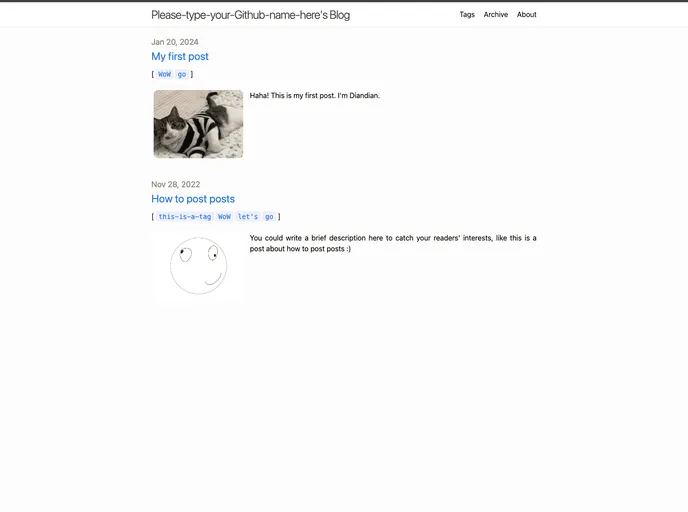
Overview
The 2nd-Minima repository is a modified version of the Jekyll-theme-Minima template, designed to help individuals easily build personal websites without knowledge of front-end programming languages. The repository provides a manual or handbook in the form of a README.md file, which explains how to understand and modify the template according to personal preferences. The repository is based on the MIT License, allowing users to make any modifications they desire. The repository acknowledges and thanks the developers and contributors of the Jekyll-theme-Minima, as well as other supportive tools and platforms like Long Qian, MathJax, giscus.app, and GitHub.
Features
- Advanced modified-version template of personal websites based on Jekyll-theme-Minima
- Allows for almost any modification based on the MIT License
- Provides detailed explanation and instructions in the README.md file
- Acknowledges and thanks developers and contributors of the Jekyll-theme-Minima
- Supports supportive tools and platforms like Long Qian, MathJax, giscus.app, and GitHub
Installation
To install the 2nd-Minima template and create a personal website:
- Visit the 2nd-Minima repository page on GitHub.
- Click on the “Use this template” button (green button) and create a new repository.
- Enter the desired repository name. It is recommended to use the format “Your-Github-name.github.io” for the first time. For more detailed explanation, refer to https://pages.github.com.
- Leave other settings as default or make your own choices based on personal preferences.
- Access the newly created repository.
- Click on “Settings” (above the green button) and then “Pages” in the left column list.
- Select “None” for the source, choose the “master” branch, and click “Save”.
- After approximately 1 minute, the personal website will be successfully generated. The deployment state can be checked by accessing the repository’s GitHub main page.
Summary
The 2nd-Minima repository offers an advanced modified-version template of personal websites based on Jekyll-theme-Minima. It provides clear instructions on how to understand and modify the template, allowing for almost any customization based on the MIT License. The repository expresses gratitude to the developers and contributors of the Jekyll-theme-Minima, as well as supportive tools and platforms like Long Qian, MathJax, giscus.app, and GitHub. By following the installation guide, users can easily create their own personal website using the 2nd-Minima template.



































