



 Github Stars:
 Last Commit:
  Created:
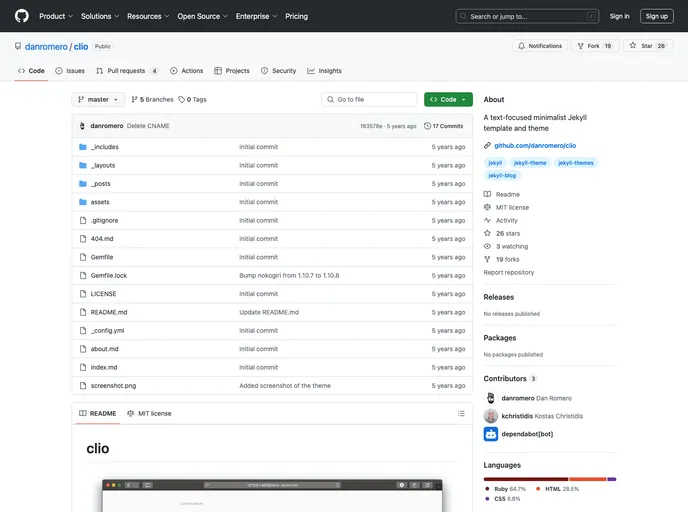
Overview
Clio is a template and theme based on danromero.org, designed to be hosted on GitHub Pages with Jekyll. It includes a homepage displaying a brief introduction and the most recent blog posts, an about page, a sample blog post, and an RSS feed for all blog posts.
Features
- Homepage with introduction and recent blog posts
- About page
- Sample blog post
- RSS feed for all blog posts
- Open Graph image support
- Google Analytics integration
Installation
- Clone the repository.
- Delete
screenshot.pngfrom the main folder. - Edit
_config.ymland replace the sample text for title, email, description, URL, and Twitter. - Enable GitHub Pages in the repository’s settings. If using a custom domain, set it up on the settings page.
- Add future blog posts as Markdown (.md) files to the
_postsfolder. GitHub Pages will generate the HTML automatically. - Add future pages, like the about page, as Markdown (.md) files to the main folder. GitHub Pages will generate the HTML automatically.
- Update the images in the
/assets/folder to avoid a purple square representing the site. - Add future images to the
/assets/folder. - To support Open Graph images for services like Twitter, add the image name in the front matter of blog posts and upload them to the
/assets/og/folder. - To integrate Google Analytics, add the Javascript into the
default.htmllayout just above the</body>tag.
Summary
Clio is a customizable template and theme for GitHub Pages built on Jekyll. It provides an easy way to create a website with a homepage, about page, blog posts, and RSS feed. It also offers support for Open Graph images and Google Analytics integration.



































