



 Github Stars:
 Last Commit:
  Created: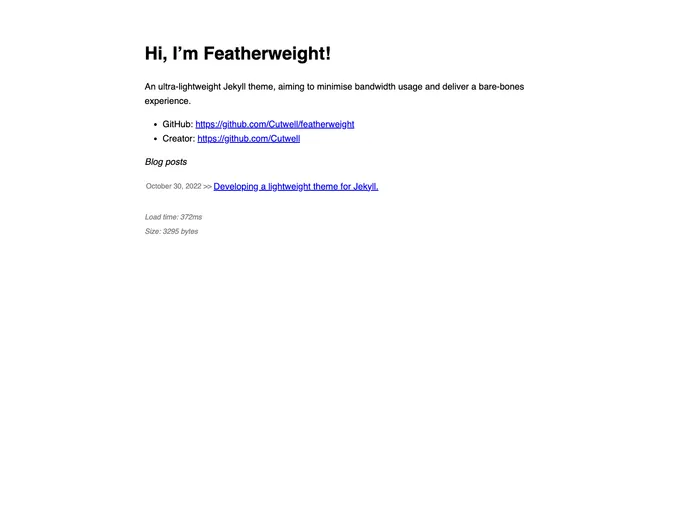
Overview
Featherweight is an ultra-lightweight Jekyll theme designed to minimize bandwidth usage and provide a bare-bones user experience. The theme aims to achieve page sizes of around 1kb, making it ideal for websites that prioritize speed and efficiency. Whether you’re building a new site from scratch or integrating the theme into an existing project, Featherweight offers flexibility and customization options.
Features
- Gem Version: Build your site on GitHub pages using the build_and_deploy.yml action to enable gem usage, allowing for greater customization possibilities.
- Featherweight as a Remote Theme: Easily integrate Featherweight into your existing projects by following the recommended action setup and customization steps.
- Writing Blog Posts: Create new blog posts using the .md file format and follow the naming convention for proper display in the blog post list.
- Config: Customize your site’s URL and default options by updating the _config.yml file.
- Homepage: Personalize your homepage by editing the index.md file.
- Social Media: Update your contact links for your homepage and post footer, enhancing the social media presence of your site.
- RSS Feed: Include an RSS feed on your site, accessible at https://yourgithubusername.github.io/feed.
- Sitemap: Generate a sitemap for your site, available at https://yourgithubusername.github.io/sitemap.
- Quickstart: Test your website locally by following the Jekyll quickstart guide.
- Gzip Compression: Take advantage of Zopfli compression for your files, achieving better compression and minimizing server overhead.
- Brotli Compression: Additionally, use the Brotli compression algorithm to compress files for optimized delivery.
- Page Reflow Protection: Prevent page reflow while lazy-loading images by setting image height and width attributes.
Installation
To install Featherweight, follow these steps:
- If you’re using GitHub pages, use the build_and_deploy.yml action under .github/workflows to enable gem usage.
- Ensure that the gh-pages branch exists in your repository and set your GitHub page to deploy from this branch.
- Copy the _config.yml file into your repository’s root directory and add the specified markup to specify the Featherweight theme.
- Create a Gemfile file in the repository’s root directory with the provided content.
- Copy the index.md and _includes/contact.md files into your repository’s root directory and customize them according to your preferences.
For a working example of Featherweight being used remotely, refer to the Cutwell/cutwell.github.io repository.
Summary
Featherweight is a lightweight Jekyll theme designed to minimize bandwidth usage and deliver a minimalist user experience. With its ultra-lightweight design, remote theme integration support, and various customization options, Featherweight offers developers an efficient and flexible solution for creating fast and streamlined websites. Whether you’re building a new site or enhancing an existing project, Featherweight provides the tools you need for a seamless workflow.



































