



 Github Stars:
 Last Commit:
  Created:

Overview:
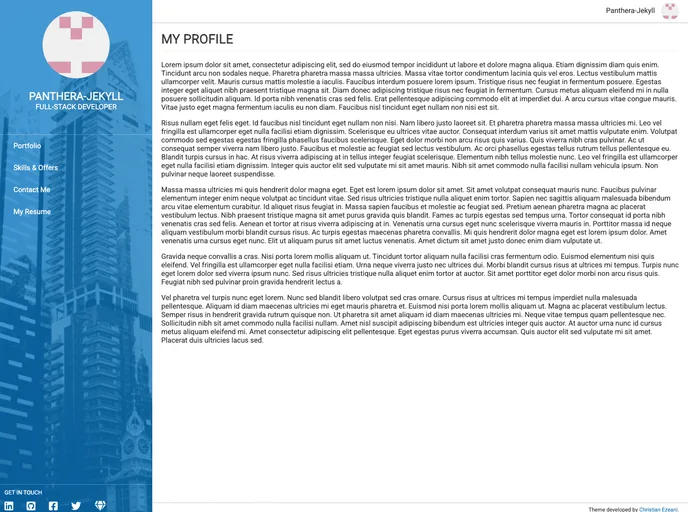
panthera-jekyll is a Jekyll theme designed for GitHub Pages and Jekyll sites. It offers a visually appealing design and can be easily customized to fit your needs. The theme supports various features such as left side configuration, side menu customization, social links, and footer configuration. It also includes support for FontAwesome icons. panthera-jekyll allows you to add your own custom styles to further personalize your site. The theme includes instructions on creating blog posts and displaying an index of posts. The project is open source and available under the MIT License.
Features:
- Visually appealing design
- Customizable left side configuration
- Side menu customization options
- Social links configuration
- Footer configuration options
- Supports FontAwesome icons
- Easy integration with Jekyll sites and GitHub Pages
Installation:
To install panthera-jekyll on your Jekyll site or GitHub Pages, follow these steps:
- Add the following line to your Jekyll site’s Gemfile:
gem 'panthera-jekyll'
- Add the following line to your Jekyll site’s
_config.ymlfile:
theme: panthera-jekyll
- Execute the following command to install the theme:
bundle install
Alternatively, you can install the theme directly:
gem install panthera-jekyll
For GitHub Pages:
- Add the following line to your GitHub Page’s
_config.ymlfile:
remote_theme: chrisitanezeani/panthera-jekyll
Summary:
panthera-jekyll is a versatile Jekyll theme suitable for GitHub Pages and Jekyll sites. It offers a visually appealing design and a range of customization options. With support for left side configuration, side menu customization, social links, and footer configuration, you can tailor the theme to match your preferences. The theme also includes instructions for creating blog posts and displaying an index of posts. panthera-jekyll is open source and available under the MIT License, making it a flexible and accessible choice for website developers.



































