



 Github Stars:
 Last Commit:
  Created:
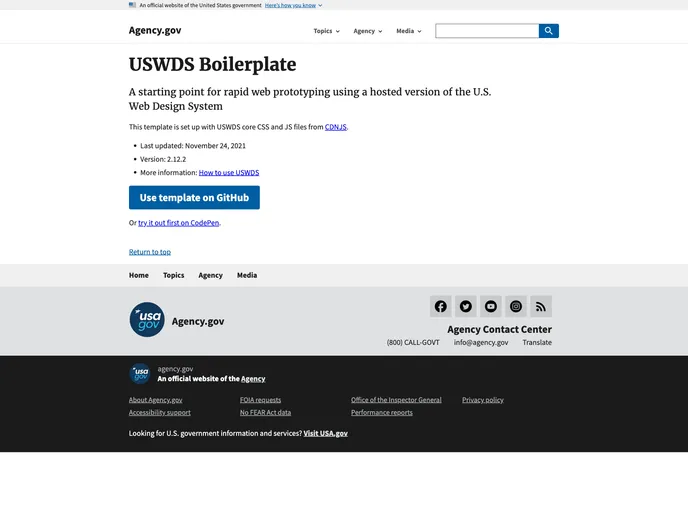
Overview:
The USWDS Boilerplate is a starting point for rapid web prototyping using a hosted version of the U.S. Web Design System. It includes core CSS and JS files from CDNJS and is regularly updated. This boilerplate provides developers with a convenient setup to begin building web projects using the U.S. Web Design System.
Features:
- Easy Setup: The boilerplate template is pre-configured with the necessary USWDS core CSS and JS files, making it easy to start prototyping web projects.
- Hosted Version: The template uses a hosted version of the U.S. Web Design System, eliminating the need to manually download and configure the files.
- Version Control: The template is hosted on GitHub, allowing for easy version control and collaboration with other developers.
- GitHub Pages: The template can be easily deployed to GitHub Pages, providing a simple way to publish and share projects online.
- Markdown Support: The template supports Markdown syntax, making it convenient to create and format content for web pages.
- Customization: Developers can easily customize the template by updating the homepage content, adding links between pages, and incorporating advanced functionality using component code snippets from the U.S. Web Design System.
Installation:
Here is a guide to installing the USWDS Boilerplate:
- Press the “Use this template” button on the Code tab. This will create a new repository based on the boilerplate template.
- Go to the Settings tab of the repository and scroll down to the GitHub Pages section.
- Set the Source to “main” and press Save. This will enable GitHub Pages for the repository.
- Wait a few minutes for the site to be deployed. In the meantime, you can start creating pages.
- To create a new page, go to the Code tab and press the “Add File” button. Then select “Create new file”.
- Give the page a title, for example, “first-page.md”. Make sure to use the “.md” extension and avoid spaces.
- Add content to the page using Markdown syntax. For example, you can create a heading and paragraph.
- Scroll down to the bottom of the page and press “Commit new file” to save the changes.
- To view your page online, go to the Code tab and find the “Environments” link. Press it to go to the Deployments page.
- On the Deployments page, press the “View deployment” button. This will load the default homepage.
- In the browser’s address bar, add the name of your page using the HTML extension (e.g., “first-page.html”) and press Enter.
- You should now see the new page you created.
Summary:
The USWDS Boilerplate is a convenient starting point for rapid web prototyping using the U.S. Web Design System. It provides an easy setup with pre-configured USWDS files and supports Markdown syntax for content creation. With features like GitHub Pages integration and customization options, developers can quickly build and share web projects using the U.S. Web Design System.



































