



 Github Stars:
 Last Commit:
  Created:
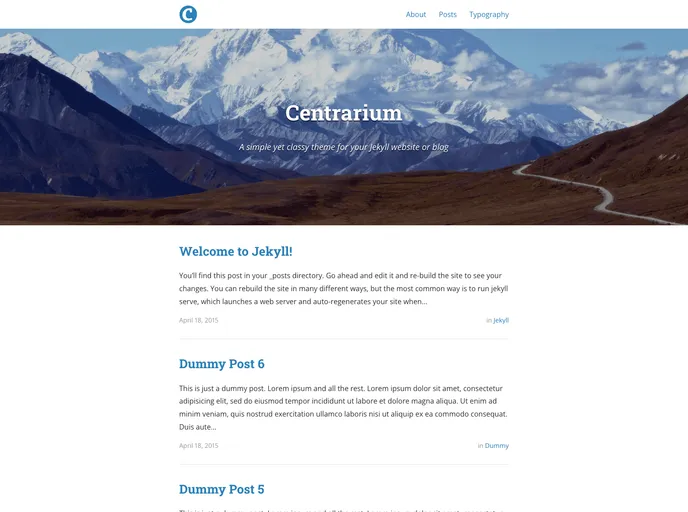
Overview:
Centrarium Circle CIA is a simple and classy theme for Jekyll websites or blogs. It is customizable to fit your style or brand and comes with various features. Inspired by dirkfabisch’s Mediator theme and Type Theme, it is a versatile option for anyone looking to create a visually appealing and functional website.
Features:
- Easily customizable fonts and colors
- Cover images for homepage and blog posts
- Pagination enabled by default
- Archiving of posts by categories and tags
- Syntax highlighting for code snippets
- Disqus integration for post comments
- Lightbox for viewing full-screen photos and albums
- Google Analytics with custom page name tracking
- Social media integration (Twitter, Facebook, LinkedIn, GitHub, and more)
Installation:
If you’re new to Jekyll, you can use the repository of Centrarium Circle CIA as a starting point for your own site. Simply download the project and add all the files to your project. Add your blog posts to the posts/ directory and create your pages with proper Jekyll front matter.
If you already have a Jekyll site, follow these steps:
- Replace the files in the
_includes,_layouts, and_sassdirectories with those from the Centrarium Circle CIA project. - Replace your
index.htmlwith the one from the project, and copy over theposts.htmlfile as well. - Copy the contents of the
_config.ymlfrom the project into your own and update the necessary information. - Install Jekyll and other dependencies.
Summary:
Centrarium Circle CIA is a customizable theme for Jekyll websites and blogs. It offers a range of features including customizable fonts and colors, cover images, pagination, archiving of posts, syntax highlighting, Disqus integration, lightbox for photos and albums, Google Analytics, and social media integration. The installation process is straightforward, making it easy to get started with this theme.



































