



 Github Stars:
 Last Commit:
  Created:
Overview
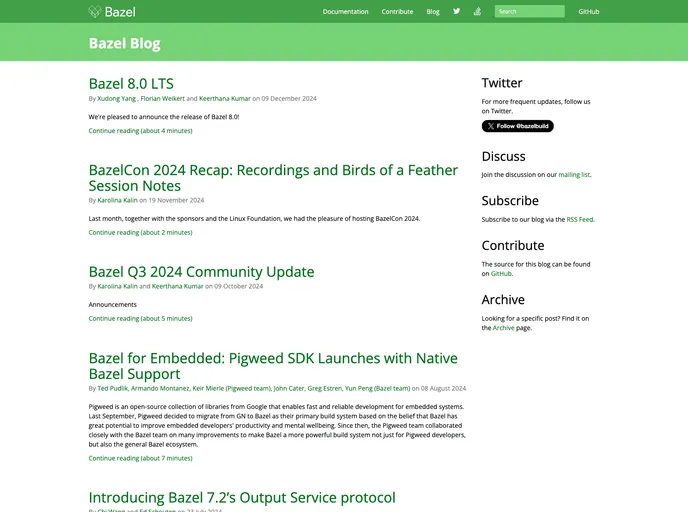
The Bazel blog repository hosts the content of the Bazel blog. The Bazel blog is a resource for individuals interested in learning about Bazel, a build system developed by Google. The blog provides insights, updates, and tutorials related to Bazel.
Features
- Writing a new blog post: Users can contribute to the Bazel blog by sending a pull request on GitHub. The blog post should be added as a file in the
_postsdirectory with a specific filename format. - Formatting requirements: To ensure proper formatting, the blog post should include a layout and a title. The layout determines how the blog post will be displayed on the website, and the title provides a heading for the post.
- Prerequisites: Users need to have Jekyll version 2.5.3 or above installed to build the site. Additionally, authentication with gcloud is required to deploy the site.
- Running the website locally: To view the website locally, users can run the command
bazel run //:site. This will stage the site and make it accessible. - Deploying the website: The website is automatically deployed after new commits are merged into the master branch. The deployment process takes approximately 30 minutes.
Installation
To install and use the Bazel blog theme, follow these steps:
- Clone the Bazel blog repository from GitHub:
git clone https://github.com/bazelbuild/bazel-blog.git. - Install Jekyll version 2.5.3 or above. On recent Ubuntu systems, it can be installed with the command
apt-get install jekyll. - Authenticate with gcloud by running
gcloud auth login. - To run the website locally, use the command
bazel run //:site. - To deploy the website, simply merge new commits into the master branch. The deployment process will automatically run.
Summary
The Bazel blog is a valuable resource for individuals seeking information about Bazel - a build system developed by Google. Users can contribute to the blog by adding new posts through pull requests on GitHub. The repository provides instructions for writing and formatting blog posts, as well as guidelines for running and deploying the website.



































