



 Github Stars:
 Last Commit:
  Created: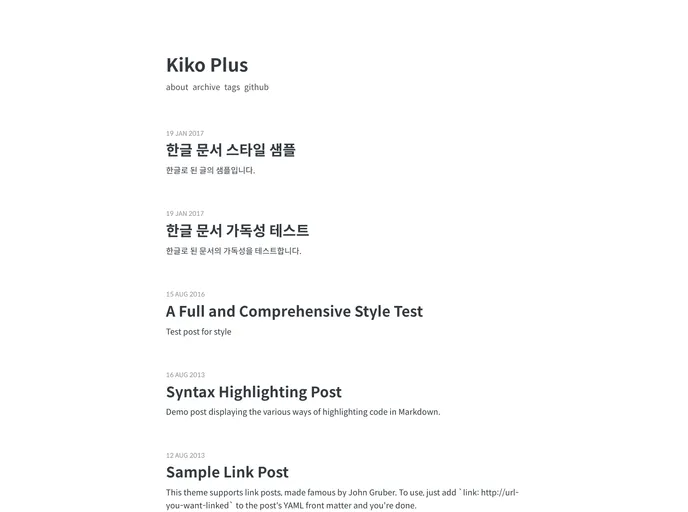
Overview:
The Kiko-plus theme is no longer being updated, but there is a new version called Kiko-now that combines Jekyll-now and Kiko-plus. The theme features a Disqus comment system, Google analytics integration, pagination support, custom tags, and SEO support. This product analysis will provide a guide for installing the theme.
Features:
- Disqus comment system
- Google analytics integration
- Pagination support
- Custom tags
- SEO support
Installation:
Method 1: new master’s repository (The Best)
- Fork the Kiko-plus repository.
- Change the name of your forked repository to USERNAME.github.io, replacing USERNAME with your GitHub username.
- Access your new blog via https://username.github.io.
- Follow the configuration process.
Method 2: gh-pages in existing repository
- Create a new branch called gh-pages in the repository where you want to add the template.
- From the command line, run
git clone https://github.com/AWEEKJ/Kiko-plus.gitto clone the Kiko-plus template to your computer. - Create a new branch using
git checkout -b gh-pages, replacing gh-pages with your desired branch name. - Add the remote repository using
git remote add gh-pages https://github.com/<yourName>/<yourMaster>/gh-pages, replacing yourName with your GitHub account name and yourMaster with your repository name. - Push the new branch to the remote repository using
git push gh-pages. - Update the _config.yml file by changing
baseurl: "<branchName>", replacing branchName with your branch name where gh-pages resides. - Follow the configuration process.
Configuration:
All configuration is done via the _config.yml file located in your main repository folder. Here are some key configurations to consider:
- Change the blog name.
- Modify the author section in the configuration for links to icons in the footer.
- Change the copyright year and name in the footer.
- Update the Google analytics ID.
- Update the Disqus short name.
- Configure your domain.
Run in Local:
- Download or clone your remote repository.
- Navigate to the repository folder.
- Install the necessary gems by running
rake geminstall. - Build the website by running
jekyll serveorrake preview. - Access the website at https://localhost:4000. Make sure that the url in the _config.yml file is set to
url: "https://localhost:4000". Note that you need to have Jekyll installed to do this.
Summary:
The Kiko-plus theme is no longer being updated, but a new version called Kiko-now is available. This article provided an overview of the theme and its key features, as well as a guide for installing and configuring it for use.



































