



 Github Stars:
 Last Commit:
  Created: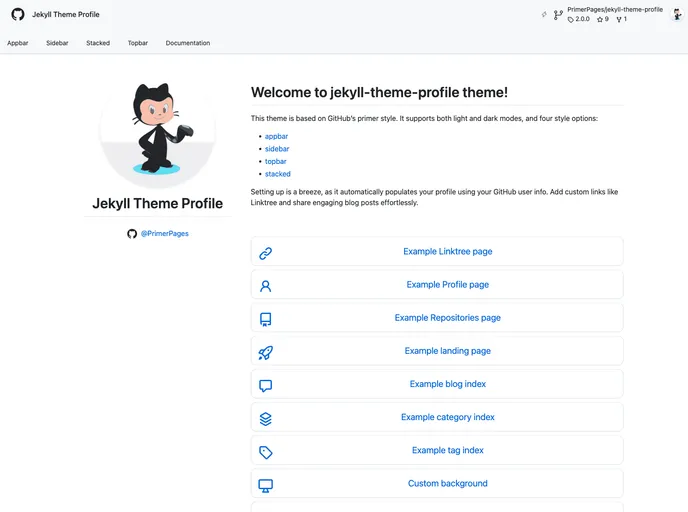
Overview:
“jekyll-theme-profile” is a Jekyll theme based on GitHub’s primer style. It offers both light and dark modes and three style options: sidebar, topbar, and stacked. It allows for easy customization and personalization, automatically populating the profile using the user’s GitHub information. The theme also supports the addition of custom links and enables effortless sharing of engaging blog posts. “jekyll-theme-profile” aims to enhance the user’s online presence by providing a user-friendly and charming theme for Jekyll and GitHub Pages.
Features:
- Light and dark modes
- Three style options: sidebar, topbar, and stacked
- Automatic population of user profile using GitHub information
- Custom link integration (e.g., Linktree)
- Support for engaging blog posts
Installation:
To install the “jekyll-theme-profile” theme, follow these steps:
- Add the following line to your Jekyll site’s Gemfile:
gem 'jekyll-theme-profile'
- Add the following line to your Jekyll site’s
_config.ymlfile:
theme: jekyll-theme-profile
- Execute the following command in your command-line interface:
bundle install
Alternatively, you can install the theme directly by running:
gem install jekyll-theme-profile
Summary:
“jekyll-theme-profile” is a user-friendly Jekyll theme based on GitHub’s primer style. It offers light and dark modes, three style options, and easy customization. The theme automatically populates the user’s profile using their GitHub information and allows for the addition of custom links and engaging blog posts. With its user-friendly and charming design, “jekyll-theme-profile” aims to make Jekyll and GitHub Pages a joy to use.



































